Skip to content

For any kitchen with a fridge

Fridge checks, without the paper.

Kitchen Checks asks at the times you set, records who took each reading and when, and emails you the record your EHO wants to see.
  • Prompted at the times you set
  • No keyboard: plus and minus
  • A record ready for your EHO
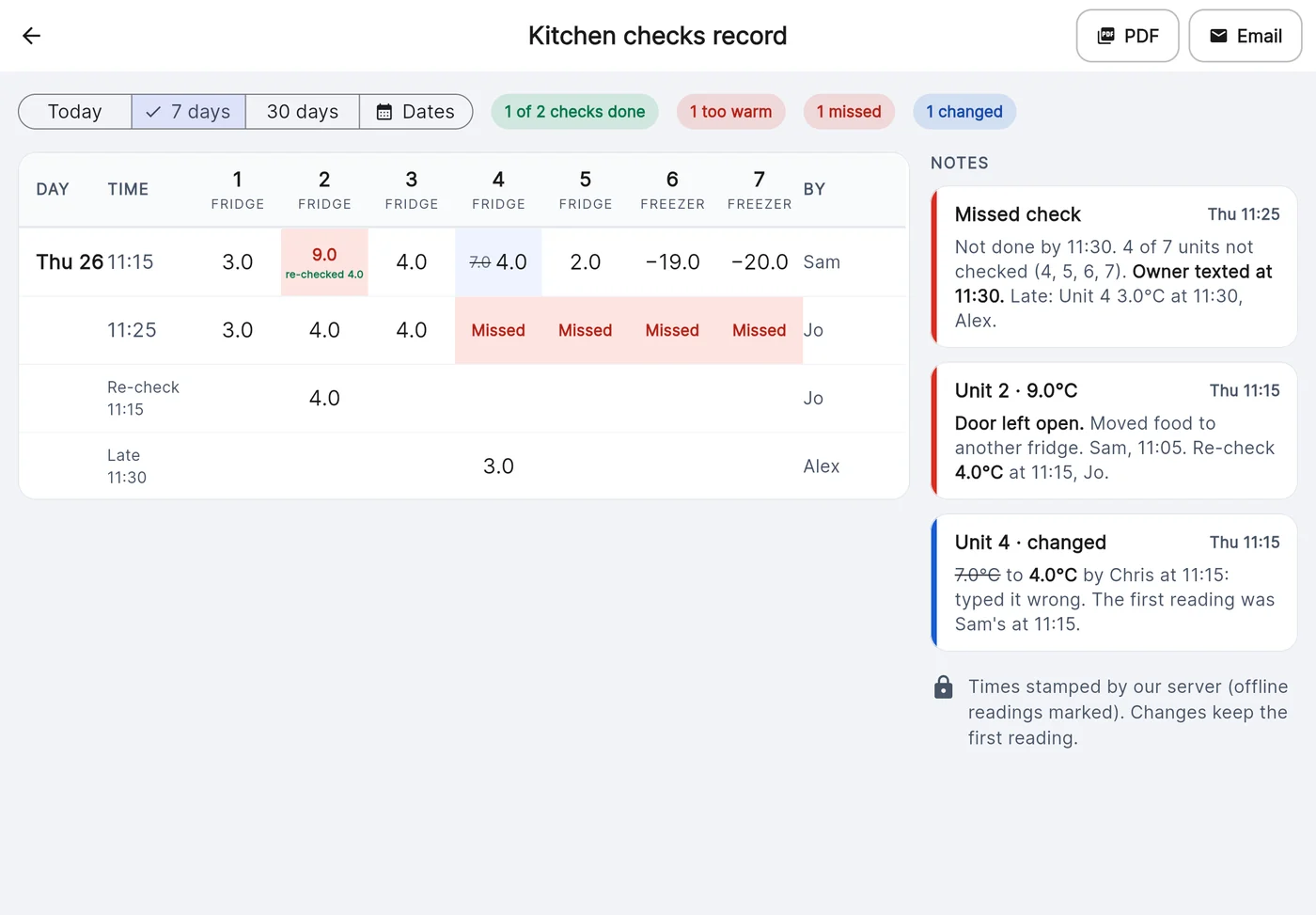
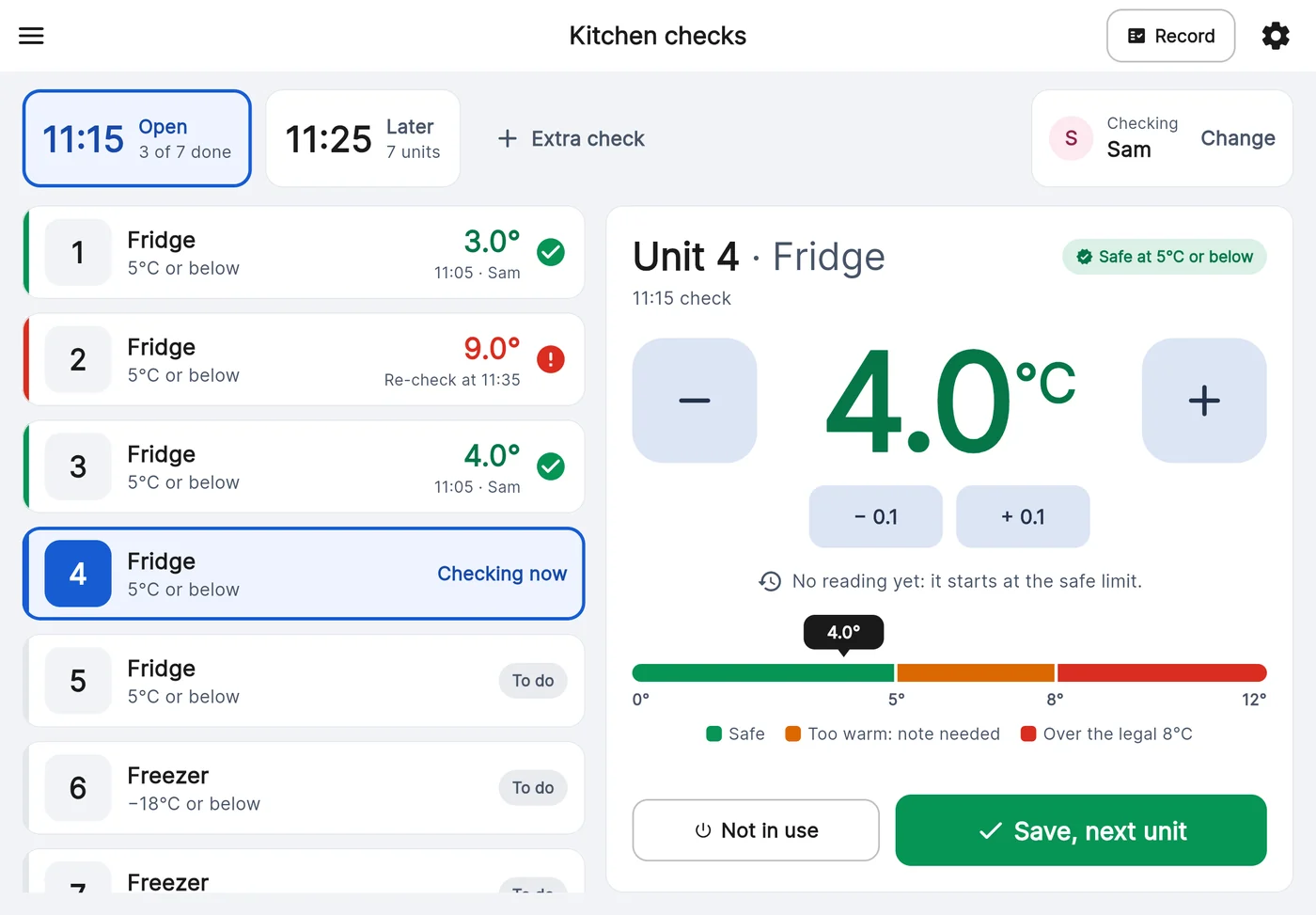
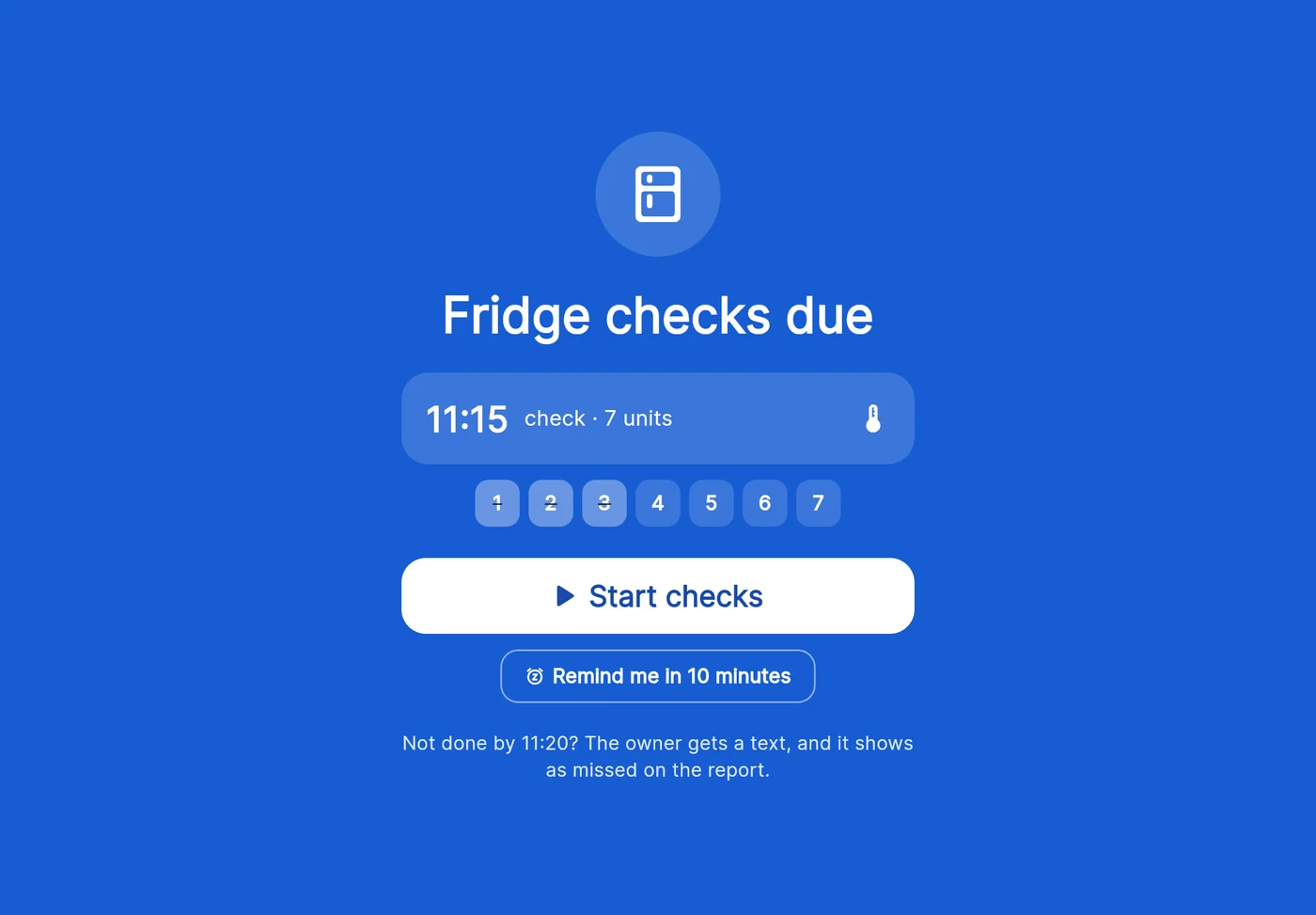
Taking readings on a tablet: units 1 to 3 done, unit 2 too warm with its re-check due, and unit 4 being checked at 4.0°C with big plus and minus buttons The checks-due alert: a blue screen that says fridge checks due for the 11:15 check, with Start checks The record for the day: two checks against seven units, with a too-warm reading and its re-check, a changed reading crossed through, a missed check and a late reading, and notes beside
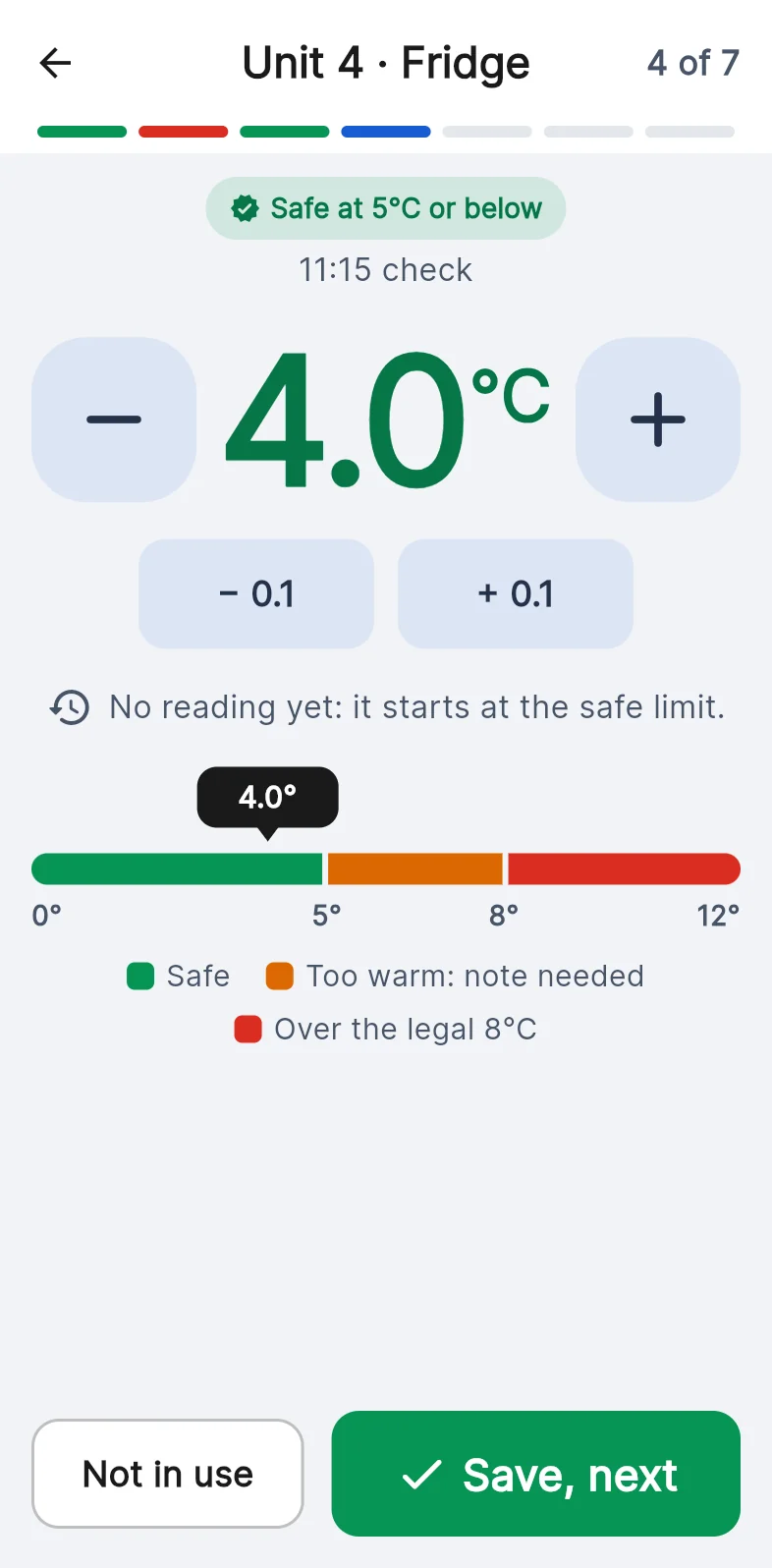
A reading on a phone: 4.0°C, safe, starting from the unit’s last reading, with Save, next

The sheet on the fridge door

Paper gets forgotten. This asks.

On a busy day the temperature sheet is the first thing to slip: filled in afterwards, a gap nobody can explain, a figure written over. Kitchen Checks asks at the time, stamps who and when for you, and keeps a record that can be corrected but never fiddled.

  • Under a minute a check. A fridge that hasn’t changed is one tap.
  • No gaps left blank. A late check says late, a missed one says missed, a closed day says Closed.
  • No logins for staff. Sign in once on each device; staff tap their name.

How it works

A minute at the pass, twice a day

Set it up once. After that the app asks, staff tap, and the record keeps itself.

  1. Set up once

    Your fridges and freezers, each with its safe limit, and your check times for each day of the week. A day with no times is a closed day.
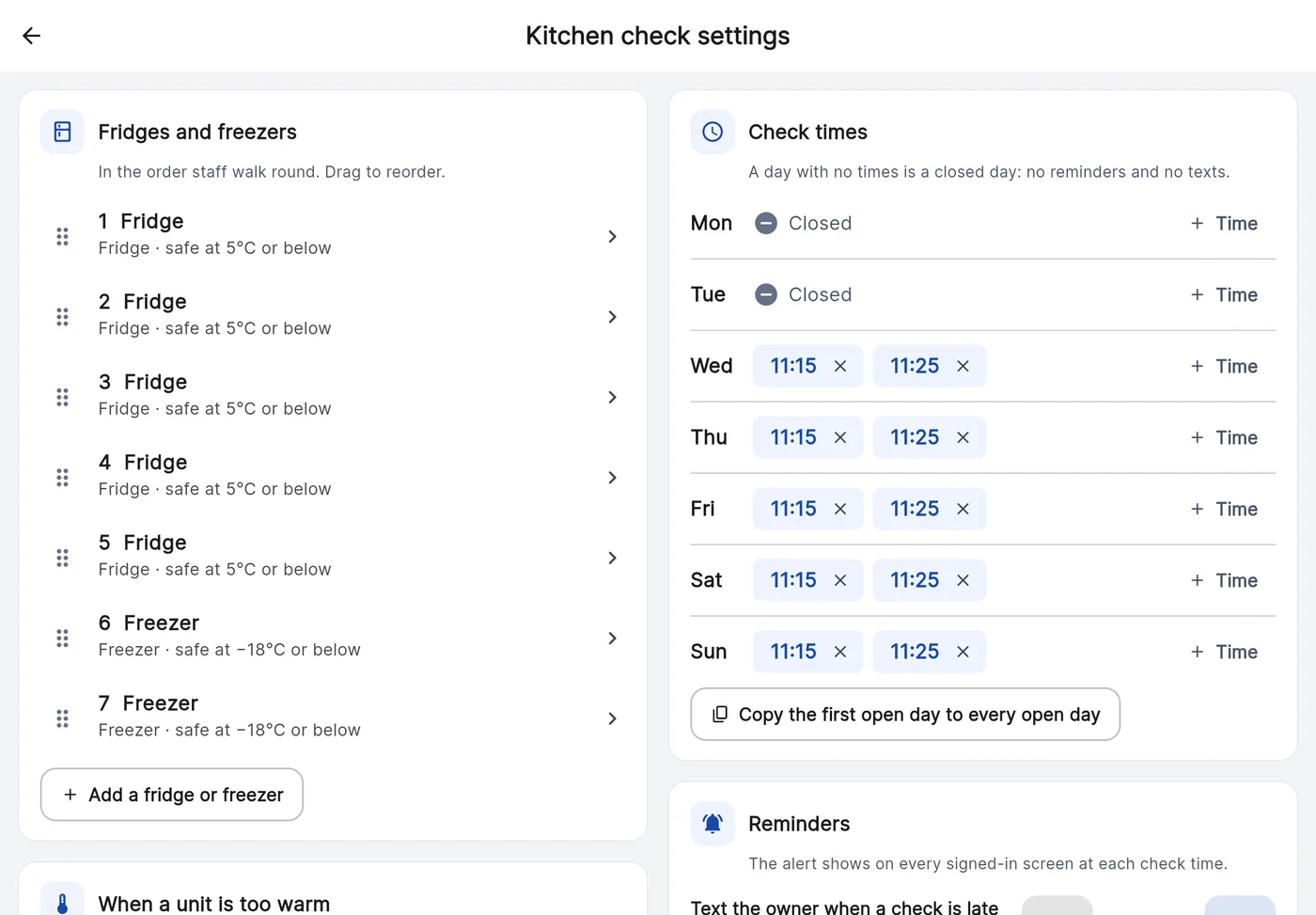
    Settings: units with their limits, and check times for each weekday
  2. The app asks

    At each check time a blue alert fills every screen running Kitchen Checks, a colour you can see across the kitchen. A device busy with another app gets a loud notification.

    The blue checks-due alert with Start checks
  3. Tap in the readings

    Staff tap their name, and each unit starts at its last reading, so a steady fridge is one tap. Big plus and minus, never a keyboard.

    Taking readings: the unit list and the stepper
  4. Too warm? Say why

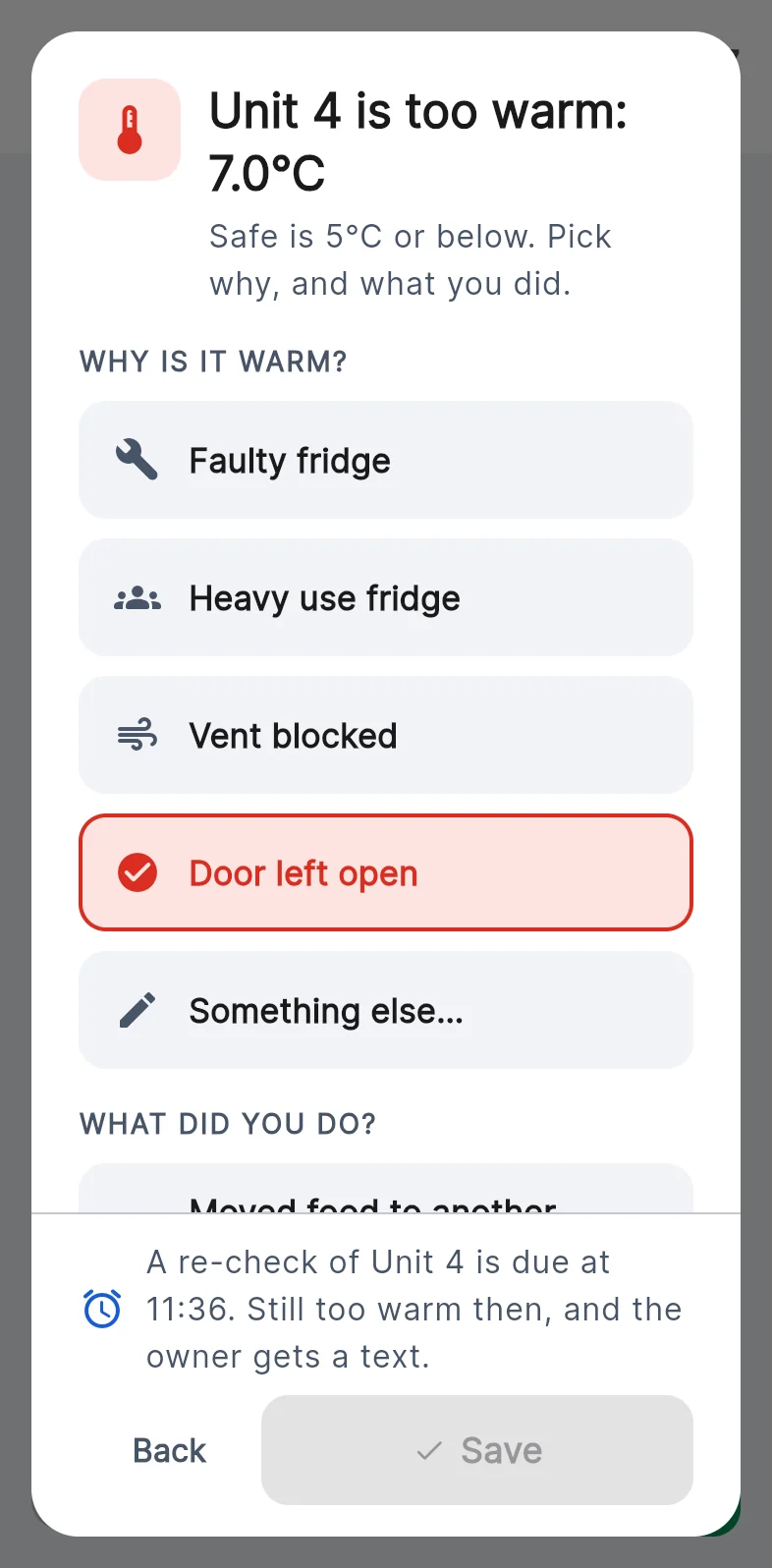
    A reading above the safe limit can’t be saved without the cause and what was done, one tap each. A re-check is asked for 30 minutes later.
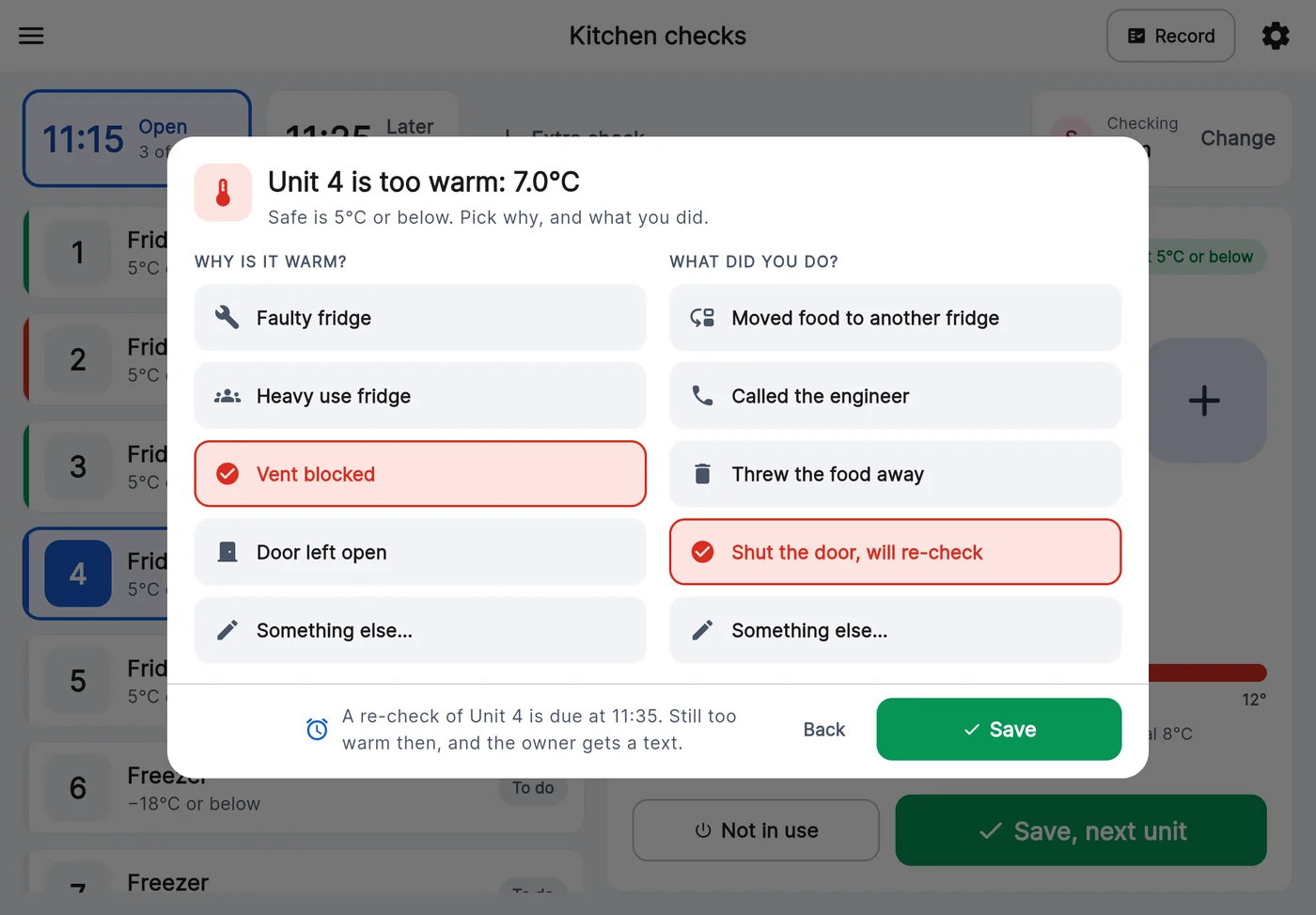
    The too-warm dialog: why is it warm, and what did you do
  5. The record keeps itself

    Every day, every check time and every unit on one screen, with a PDF for any dates when the EHO calls.

    The record for today

Built for your EHO

Corrected, never fiddled.

Mistakes happen, and Kitchen Checks lets you put them right. The first reading always stays on the record, crossed through, with who changed it, when and why.
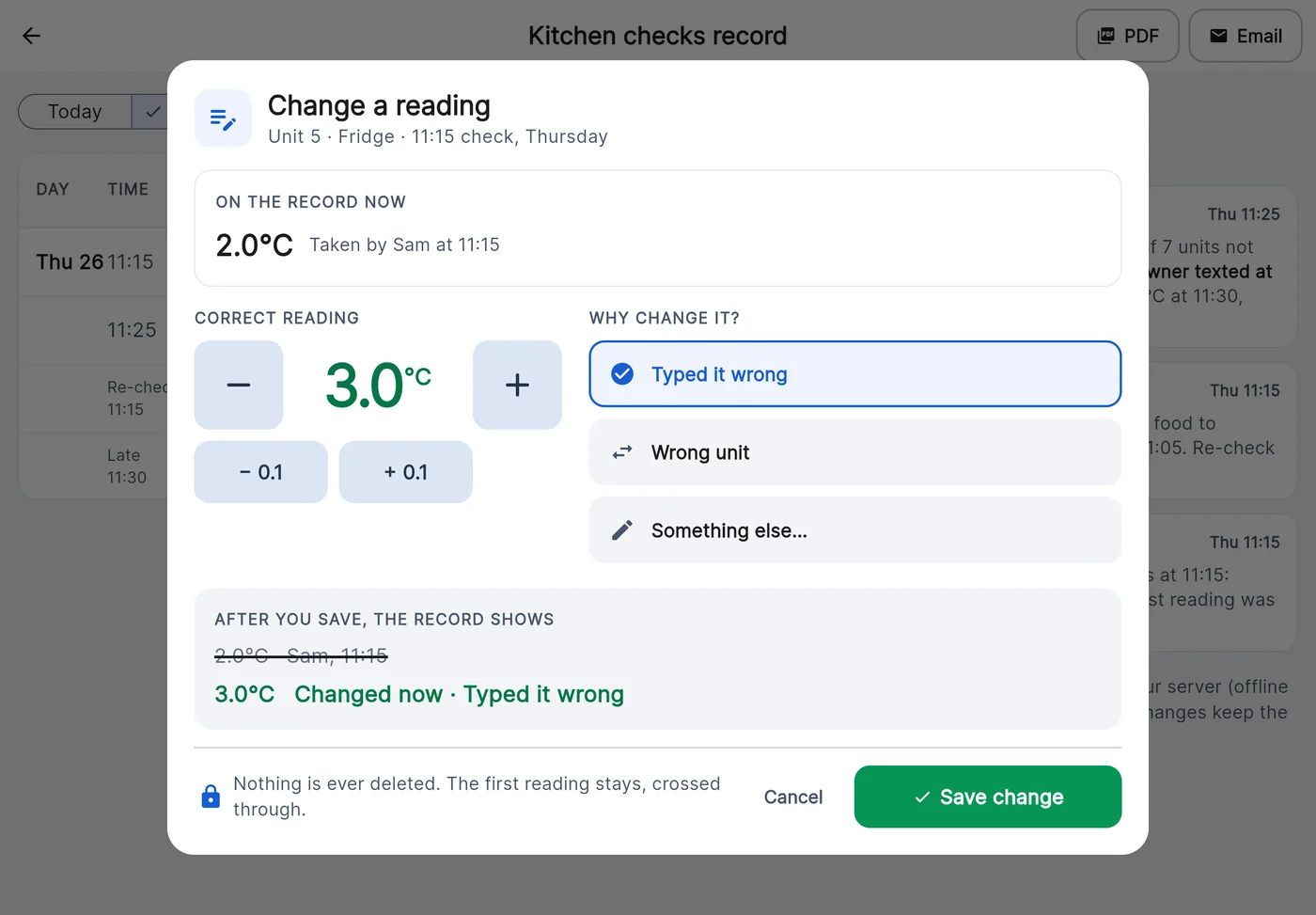
  • Every time is stamped by our server, not the tablet, so a clock set wrong can’t move a check. A reading taken offline is marked as such, with the device’s time corrected by the server.
  • Nothing is ever deleted. Every reading and every change stays on the record.
  • A missed check stays missed. A reading taken afterwards goes beside it as late, never in its place.
  • Staff can correct today’s readings. After the day ends only the owner can, with the owner PIN.
Changing a reading: the reason, and a preview of the record with the original crossed through

When something’s not right

You hear about it. Straight away.

The owner gets a text when it matters, and only then.

A fridge too warm

Why it’s warm and what was done, from your own lists. Thirty minutes later the app asks for that unit again. Still too warm, and the owner is texted at once.

A check not done

Not done 30 minutes after its time? The owner gets one text, and the record shows the check as missed, with which units weren’t checked.

Over 8°C

Always out of range for a fridge, whatever the setting: chilled food must be kept at 8°C or below in England, Wales and Northern Ireland.

Closed days

A day with no check times is closed: no alerts, no texts, no daily email. The record says Closed, so the gap is explained.

Mid-rush?

Remind me in 10 minutes hides the alert on that device. The 30-minute clock keeps running.

Not in use

A unit that’s defrosting, empty or switched off is marked with the reason, and counts as done.

The report

The record comes to you.

Daily, weekly or monthly: you choose, and who it goes to. Every email is laid out the same way, with what needs a look first.
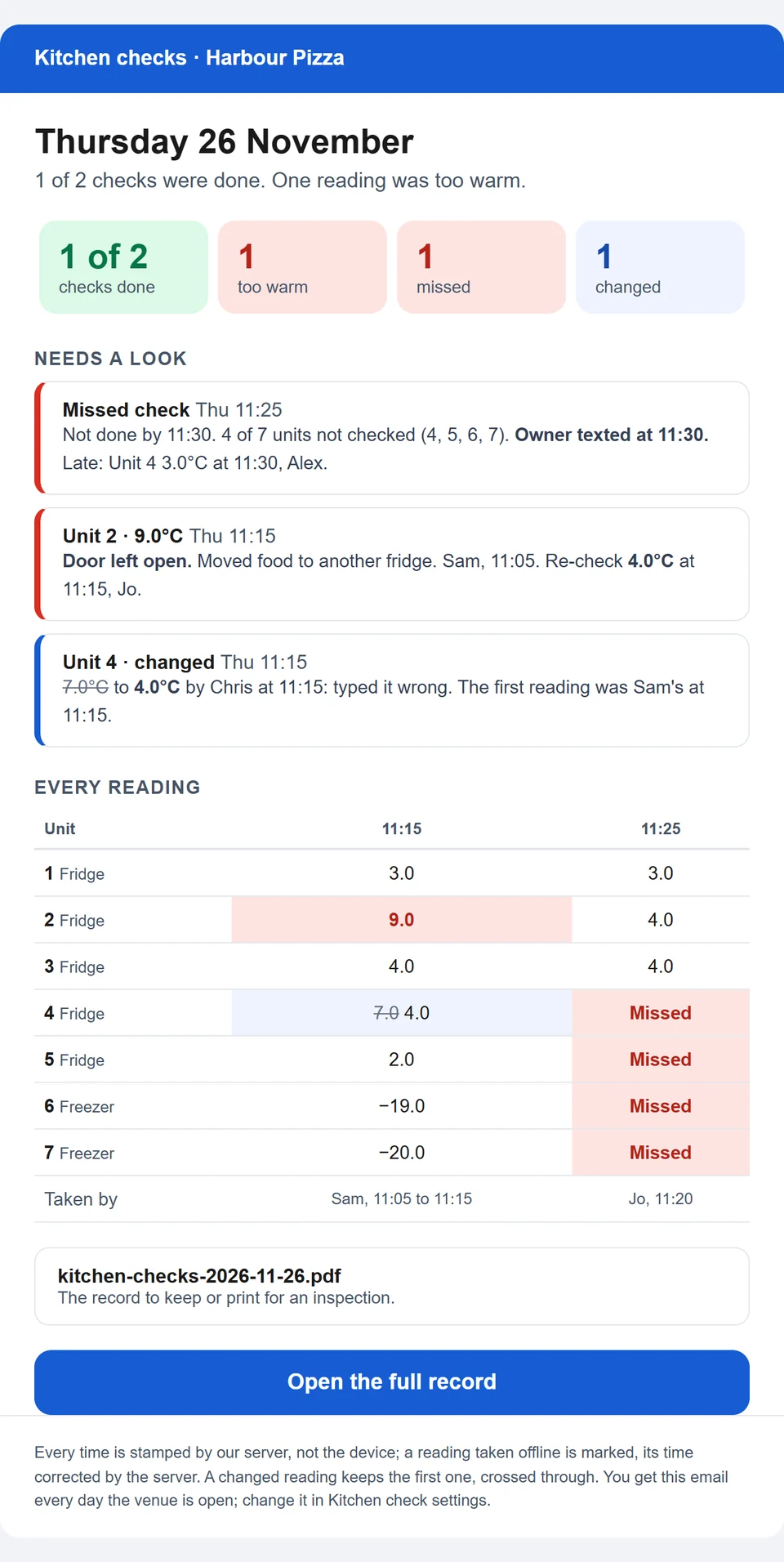
  • The subject says what matters: “1 too warm”, “1 missed” or “all fine”.
  • Needs a look: each too-warm reading with its cause, action and re-check; each miss; each change.
  • Every reading, and who took each check.
  • The PDF record attached, to keep or print. The app makes the same PDF for any dates, if an inspection asks for the last three months.
Kitchen checks for Thursday 26 November: 1 too warm, 1 missed, 1 changedTo the owner · 11:35 · PDF attached
The daily report email: one of two checks done, one too warm, one missed, one changed; what needs a look; and every reading by unit and check time, with who took each check

On any screen

Tablet, phone or computer.

The same checks everywhere. On a phone they come one screen at a time, with the next step pinned at the bottom. Every button is at least 56 pixels tall, for wet hands.
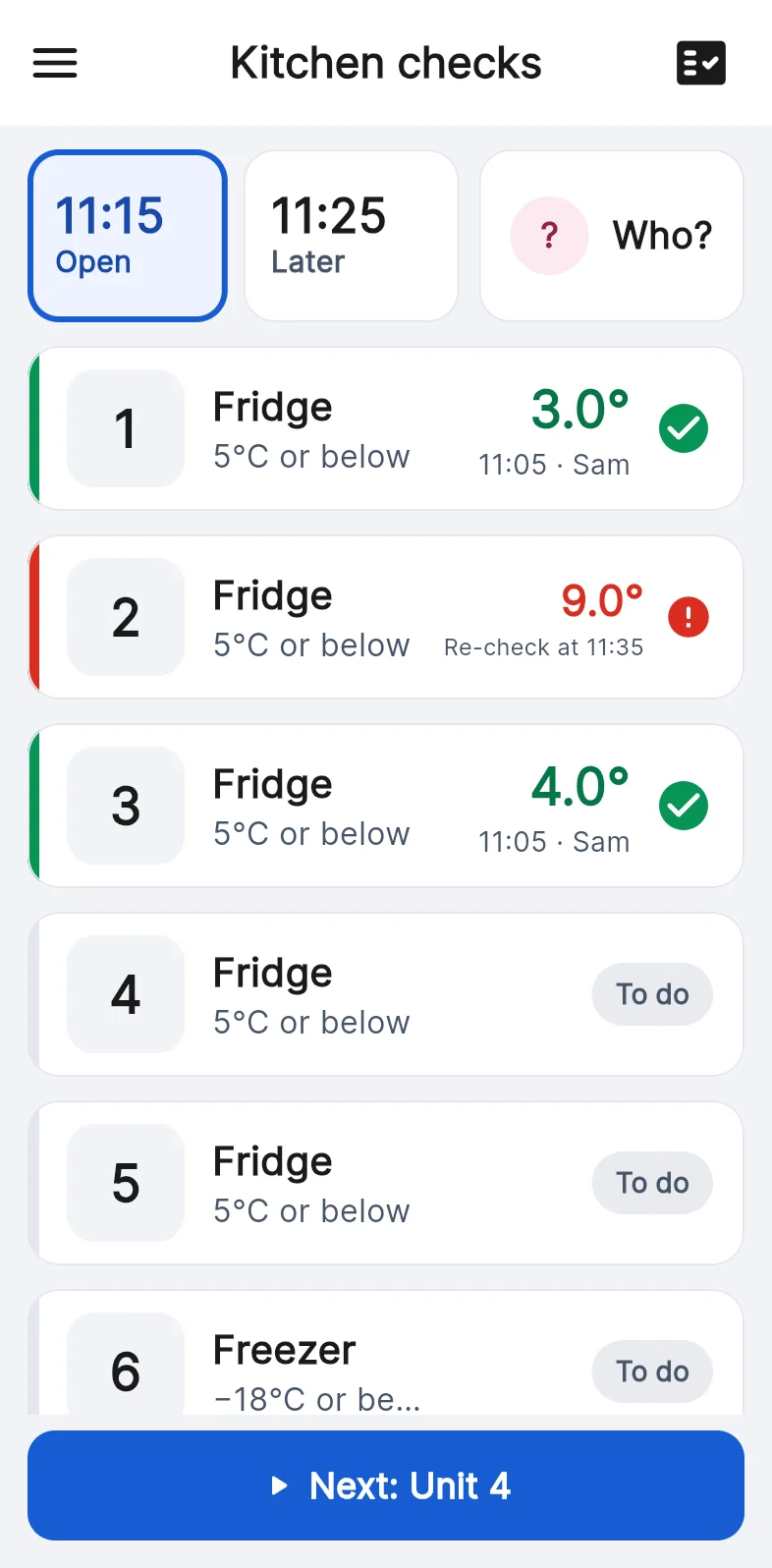
The list of units on a phone, each with its reading or To do, and Next: Unit 4
The listEach unit and where it’s up to.
A reading on a phone with big plus and minus buttons
A readingA big number, and the safe range below.
The too-warm choices on a phone, Door left open picked
Too warmThe same two choices, sized for a thumb.

Built, and on the way

What Kitchen Checks does today, and later.

Kitchen Checks is new and starting with a pilot. We say plainly which parts are finished.

BuiltFridge and freezer checksAt the times you set, for each day of the week, with the alert on every device.
BuiltToo warm and re-checksCause and action from your own lists, a re-check 30 minutes later, and a text if it’s still warm.
BuiltReports and the PDFDaily, weekly or monthly emails, and the PDF record for any dates.
BuiltWorking offlineWhen the Wi-Fi drops, checks carry on. Readings wait on the device and are sent when it’s back.
LaterProbes and sensorsReadings taken by a probe or a wireless sensor instead of by eye.
LaterMore kinds of checkCooking, cooling, deliveries and cleaning.

Ready when the EHO calls.

Tell us about your kitchen: how many fridges and freezers, and when you check them.